Clock-in that actually clocks them in.
 AI Assistant at the core
GPS-verified, PIN-protected, kiosk-ready time tracking built for the way multi-unit operators actually run shifts. Stop buddy-punching, fix overtime leaks, and export payroll in one click — across every location.
What's inside Time & Attendance
Everything you need to track hours accurately, prevent fraud, and stay audit-ready.
GPS-verified clock-in
Every clock event records the device's coordinates and validates against the location's geofence. Out-of-zone attempts are flagged automatically — no more clock-ins from the parking lot of a different store.
PIN-only personal clock
Each employee gets a private 4-digit PIN. No shared logins, no passed-around timecards. PINs rotate on demand and are revoked the moment someone separates.
Kiosk Mode for shared tablets
One tablet at the front of the store handles your whole crew. Staff PIN in, the tablet GPS-stamps the event, and managers see real-time who's clocked in from any device.
Live labor cost dashboard
See hours, overtime, and labor-as-a-percent-of-sales updating in real time per location. Catch overtime drift before it hits payroll, not after.
Buddy-punch & fraud alerts
Anomaly detection flags double clock-ins, ghost shifts, off-geofence stamps, and missed clock-outs. Managers get a daily exception report — sortable, filterable, exportable.
Payroll-ready export
One-click CSV export with hours, overtime, and break deductions formatted for ADP, Gusto, Paychex, and QuickBooks. Or use the built-in payroll runner for in-house payroll.
Built for multi-unit reality
DohOps Time & Attendance was designed by an active 30-year multi-unit franchise operator. Every safeguard exists because someone — including the founder — got burned by it first.
Multi-state overtime
Per-state rules for California's 8-hr daily threshold, Colorado's 12-hr cap, Nevada's daily-OT rules, plus standard federal FLSA. Set once per location and forget.
Geofence flexibility
150 m default works for most stores. Tighten to 50 m for kiosk-only; widen to 300 m for hotel campuses with detached buildings. Per-location override.
7-year audit trail
Every clock event is immutable. DOL audits, franchisor inspections, wage-and-hour disputes — pull a date-range PDF in 30 seconds. No more digging through paper.
Break compliance
Auto-deduct, prompt-required, or auto-reminder modes. Tracks meal breaks separately from rest breaks for states that require both. Exports cleanly for payroll.
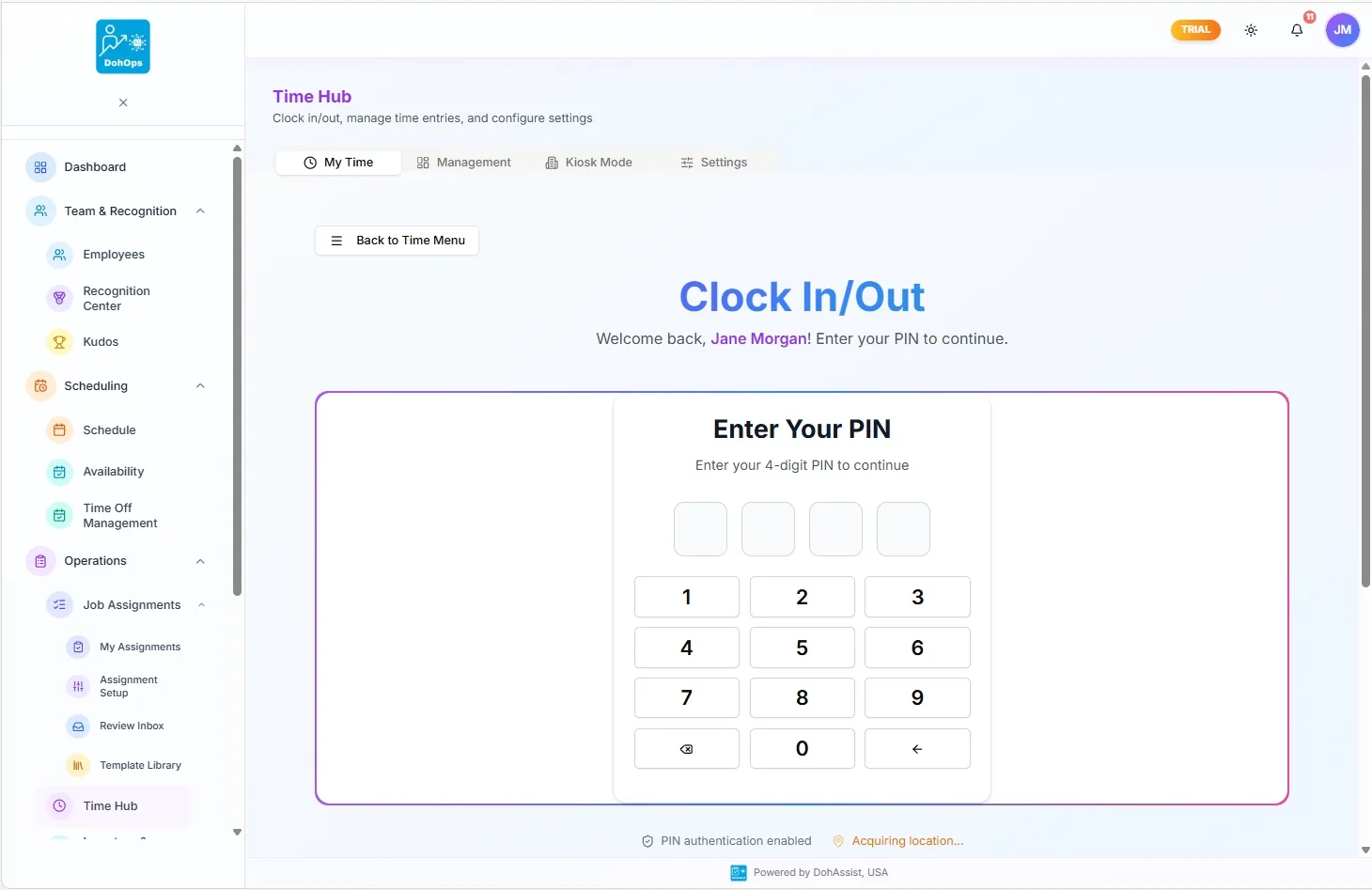
TIME HUB — PIN clock-in with GPS verification, live on a shared kiosk tablet
What changes in week one
Day 1. You add your locations and set geofence per store. Add your employees, give them PINs, and turn on the clock. Every shift from that moment forward is tracked, GPS-stamped, and exportable.
Day 3. The first exception report lands in your manager's inbox. Three buddy-punches caught. Two ghost shifts on the schedule that nobody actually worked. One employee clocking in 11 minutes early, every shift — that's $1,100/year in unauthorized OT, fixed.
Day 7. Run your first payroll out of DohOps. The CSV imports cleanly to ADP. The owner's labor-cost dashboard shows actual % of sales for the first time in years. Decisions stop being guesses.
Day 30. You renew. Or you don't — the trial is free, no credit card. But by day 30 most operators have already added their second location.
Time & Attendance — FAQ
See clean labor costs by Friday.
30-day free trial, no credit card. Set up your locations and geofence in 10 minutes. Or book a 15-minute walkthrough and our team will show you the exact reports a multi-unit operator runs every Monday morning.