Every operational layer, one platform.
 AI Assistant at the core
Customer feedback in two languages via QR, inventory and order management, food waste tracking with photo evidence, automated performance reviews, and payroll-ready exports — all inside DohOps. Stop managing operations across six different tools and one shared spreadsheet.
What's inside the Operations Suite
Six operational modules that eliminate six separate tools — running together in one $79/mo platform.
Bilingual customer feedback
Create customizable QR-code feedback forms in English and Spanish. Print the QR on receipts, counter cards, or table tents. Responses feed into location-specific analytics inside DohOps — service quality, cleanliness, product availability scored per location, per time period. No SurveyMonkey, no export gymnastics.
Inventory & orders
Log inventory levels, set reorder thresholds, and generate vendor-ready order exports. The module flags low stock automatically — you know about the shortage before the customer asks for the item you don't have. Claimed benefit: 25% reduction in stockouts for locations that use it consistently.
Food waste tracking
Employees log waste by item, category, quantity, and cost with photo evidence attached. The dashboard shows total write-offs, most common waste category, and weekly cost trends. AI recommendations suggest prep schedule adjustments based on your actual waste patterns — not generic industry averages.
Performance reviews
Automated review cycles with standardized templates across all locations. Set frequency — monthly, quarterly, annual — and the system generates review prompts on schedule. Every store manager evaluates on identical criteria. Review history, AI assignment scores, and gamification rankings inform each review with real data.
Payroll integration
Export timesheets with regular hours, overtime, and bonus pay in payroll-ready format. Wage and tax calculation built in. Compatible with ADP, Gusto, Paychex, QuickBooks Payroll, and any CSV-accepting system. Operators save 2–3 hours per pay period — and eliminate the manual reconciliation errors that come with building payroll files by hand.
Morning summary
A configurable automated daily briefing delivered to the owner and designated managers each morning. See yesterday's key metrics — labor cost, assignment completion, open issues, food waste — before the first shift starts. Operators who review their morning summary catch operational drift before it becomes a week-long problem.
Built for multi-unit reality
Six tools for six problems. Most operators use them all — because in multi-unit operations, every one of these gaps is costing real money every week.
Customer voice at every location
Most multi-unit operators have no structured way to collect customer feedback by location. Without it, you learn about a service problem from a Google Review — after it's already public. The QR feedback form closes that loop and routes the signal to the right store manager, not to your public reputation.
Waste is a line item, not a mystery
Food waste in convenience stores and QSR is typically 4–8% of food cost. At $5,000/month in food, that's $200–$400 per month per location disappearing without a tracking mechanism. Photo-logged waste with category breakdown makes that number visible — and the AI recommendations turn the data into action.
Payroll without the reconciliation
Multi-location payroll means consolidating time from three sources, checking overtime across state lines, separating bonus pay from regular wages, and formatting everything for your payroll provider. DohOps does all of that automatically. The 2–3 hours saved per pay period is also 2–3 hours of reduced error risk.
Reviews that aren't theater
Performance reviews in most small multi-unit operations are either skipped entirely or run as informal conversations with no documentation. DohOps automated cycles ensure every employee gets a structured review on schedule, evaluated against the same criteria at every location, with a data record that supports HR decisions.
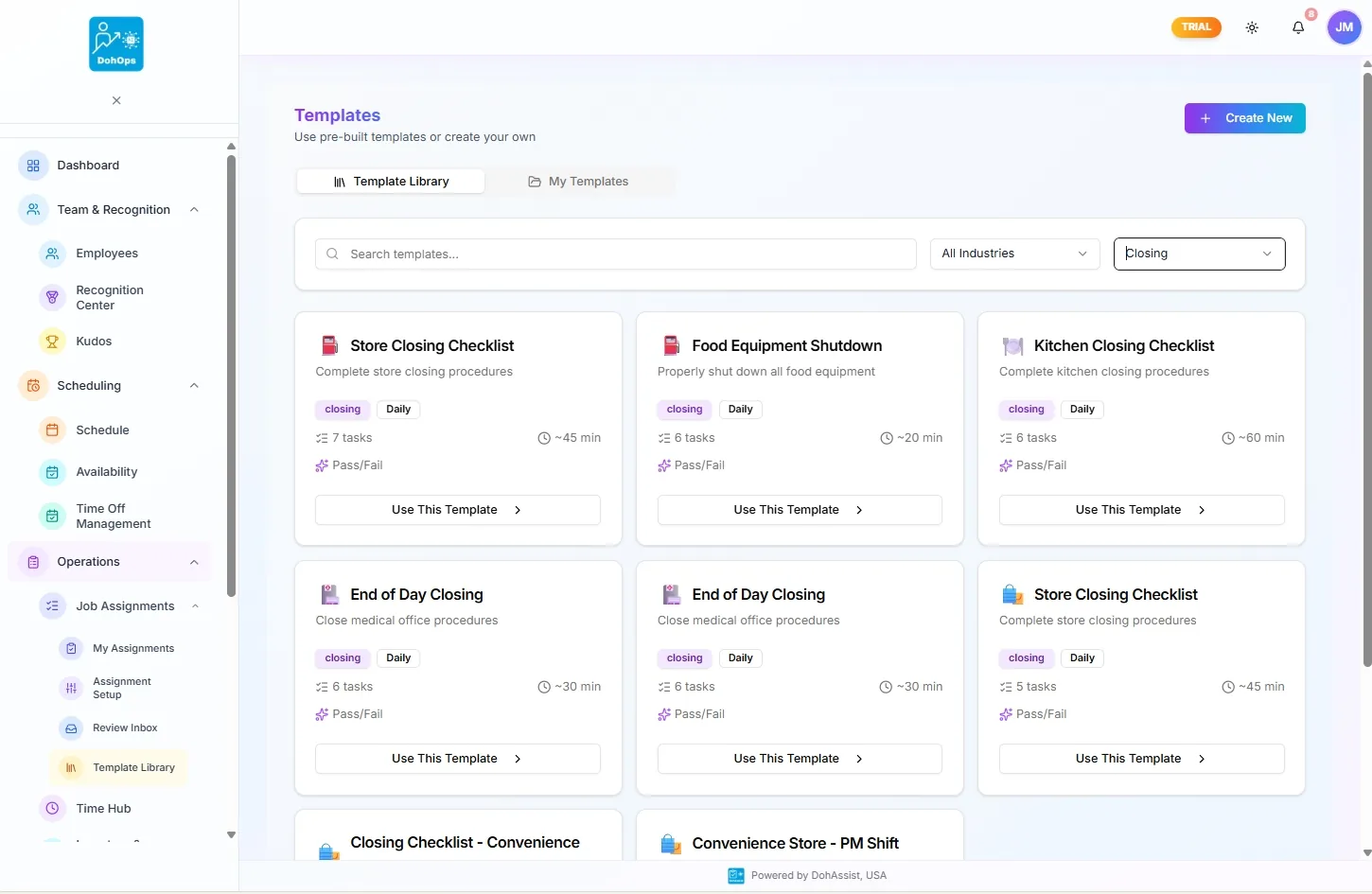
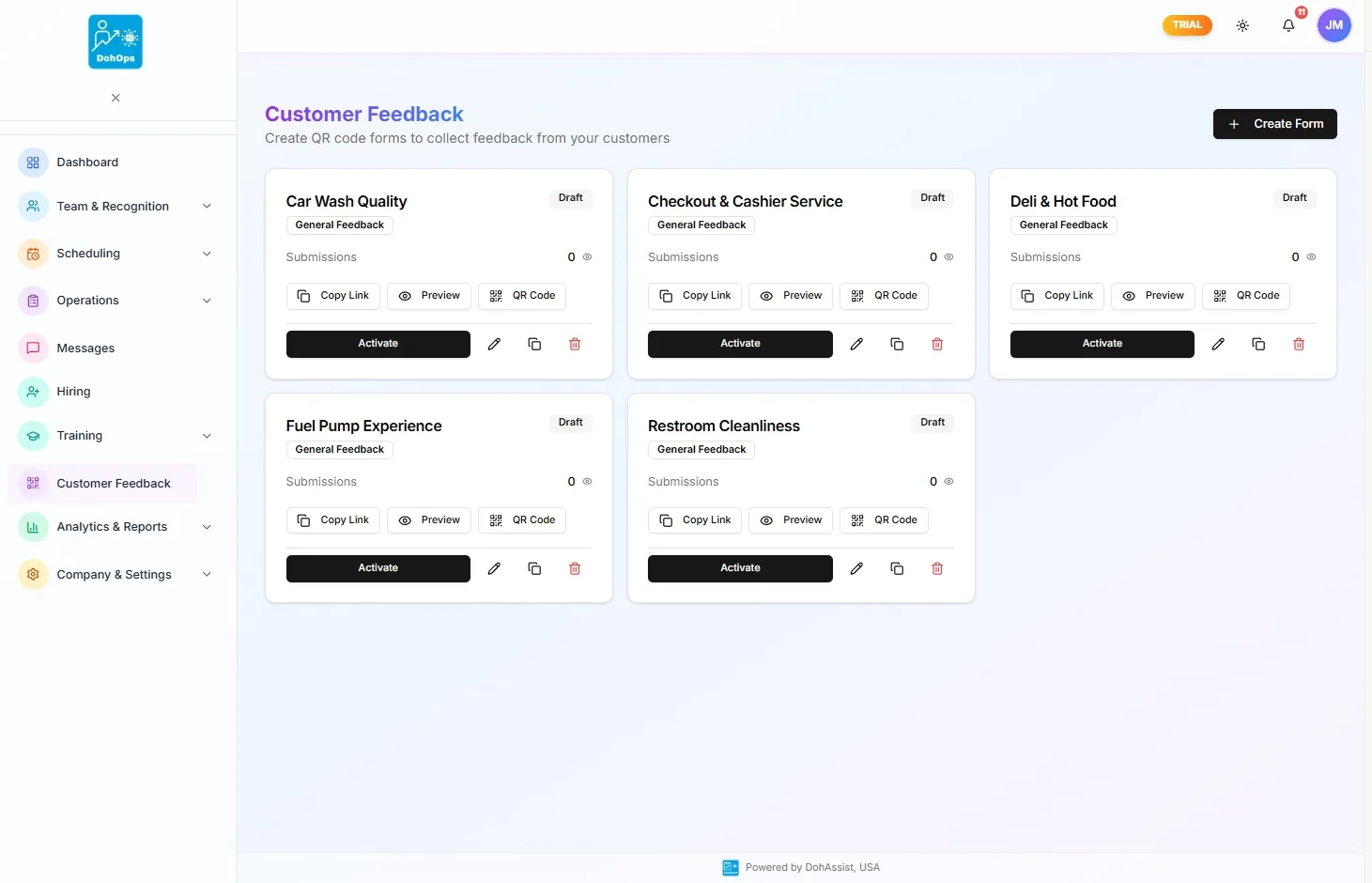
OPERATIONS SUITE — Pre-built closing checklists from the Template Library, and the Customer Feedback grid capturing every touchpoint
What changes in week one
Day 1. You enable Customer Feedback, Food Waste, and Payroll Integration in Platform Features. You create a customer feedback form, print a QR code for the counter at each location, and brief your shift leads on the waste logging process. The payroll export settings are configured in 20 minutes.
Day 3. Fourteen customer feedback responses have come in across three locations. Location 2 is averaging 3.8 out of 5 on cleanliness — the lowest of the three stores. That's actionable: you know which store, which metric, and which day the pattern started. You wouldn't have known that from Google Reviews for another two weeks.
Day 7. The food waste dashboard shows $187 in write-offs for the week, with 'Expired' as the most common category. The AI recommendation flags that prep volume on Tuesday mornings is consistently over-forecasted — you've been prepping 20% more than you sell before Wednesday. You adjust Tuesday prep by 15%.
Day 14 (first payroll run). The payroll export generates a clean file with regular hours, overtime flagged per state rules, and bonus pay separated from base wages. You import it to your payroll provider in four minutes. No reconciliation. No calls back to check a number. The store manager doesn't need to send you a spreadsheet.
Operations Suite — FAQ
Plug the operational gaps that cost you every week.
30-day free trial, no credit card. Enable the full Operations Suite in your first session — or book a walkthrough and see live food waste tracking, customer feedback analytics, and payroll export from a real multi-location account.