From window cling to first shift in days, not weeks.
 AI Assistant at the core
QR codes on your 'Now Hiring' signs feed applications directly into an applicant tracking pipeline. Move candidates from applied to hired without leaving DohOps — then onboard them with a training library that tracks each person's progress, at every location.
What's inside Hiring & Onboarding
Recruiting, applicant tracking, and new-hire training — one platform, every location.
QR code recruitment
Print a posting's QR code on a window cling, counter card or drive-through menu board. Candidates scan it, fill in the application on their phone, and hit submit. The application is in your Hiring list, and managers get a notification, before they've left the parking lot. For foot-traffic businesses, that is a short path from interested to in your pipeline.
Job posting management
Create job postings with position title, pay range, employment type, your own questions, and one location or the whole company — or let DohOps AI draft the posting from a short description. Each posting gets its own QR code and a link you can share anywhere. Track active postings and applications per posting from the counts on the Hiring page.
Applicant tracking pipeline
Move candidates through New, Reviewed, Called, Interviewed and Hired, or mark them No Show or Rejected, in one step. See the count for each status across all locations, so you can see where every application stands and nobody is forgotten.
Training content library
Upload documents, videos, images, or web links into a structured content library. Combine materials into Courses made of lessons — brand standards, food safety, opening procedures, emergency protocols. Assign courses to each new hire with a due date.
Training assignment & completion tracking
Assign training courses with due dates to the people who need them, and see each person's status: not started, in progress, completed or overdue. The training report shows completion rate, overdue assignments and certificates issued, overall and course by course, and exports as a CSV. Each finished course gives the employee a dated PDF certificate.
Hiring dashboard KPIs
Active postings, total applications, pending review, interviewed, hired, and locations — counted at the top of the Hiring page, and each count opens the matching list of applicants. At a glance, see how many candidates are waiting for you, then filter postings by location.
Built for multi-unit reality
Hiring in multi-unit operations isn't one job posting. It's a continuous pipeline across five stores that all need the same three positions filled on a rolling basis.
One dashboard, all locations
The hiring view shows postings and applicants across every location you manage. Filter to a single store or see the full portfolio at once. No toggling between store logins.
Franchise brand standard training
7-Eleven, Marriott, Wyndham, Choice — franchise brands have required training standards that operators are responsible for delivering and documenting. The DohOps training library stores those materials, shows each employee's status on each course, issues a dated certificate when a course is done, and exports completion by course as a CSV.
Speed matters in hourly hiring
Hourly candidates apply to several jobs at once, and the first employer to respond often wins. QR code applications remove the step of finding a website — the candidate applies while standing in front of your 'Now Hiring' sign. The application is in your list right away and managers get a notification, so you can call back the same day.
Compliance documentation
Training records in DohOps can help you document training for franchise inspections, DOL audits, and workers' comp reviews: each finished course has a dated certificate with the employee's name and the course, and the training report exports as a CSV.
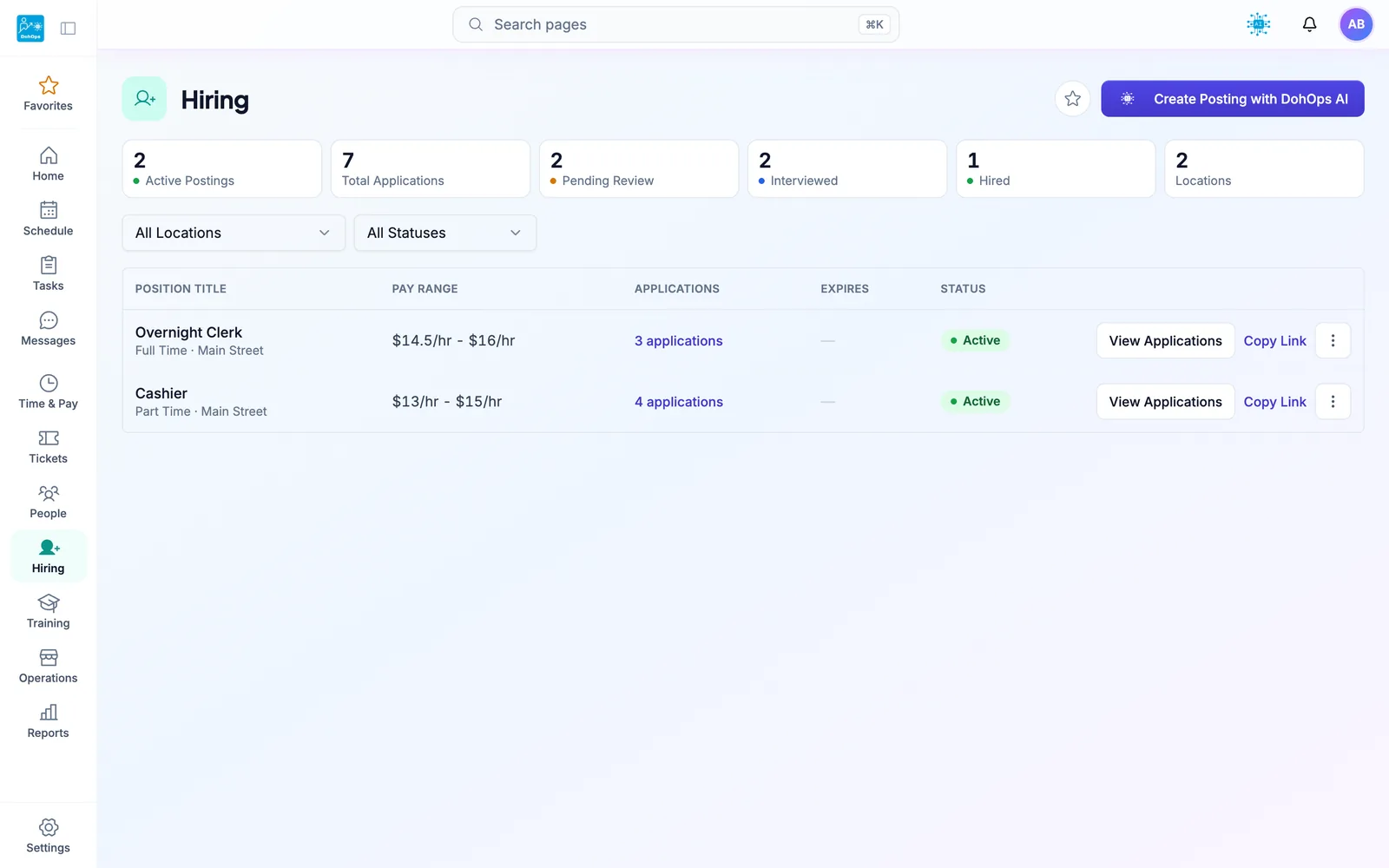
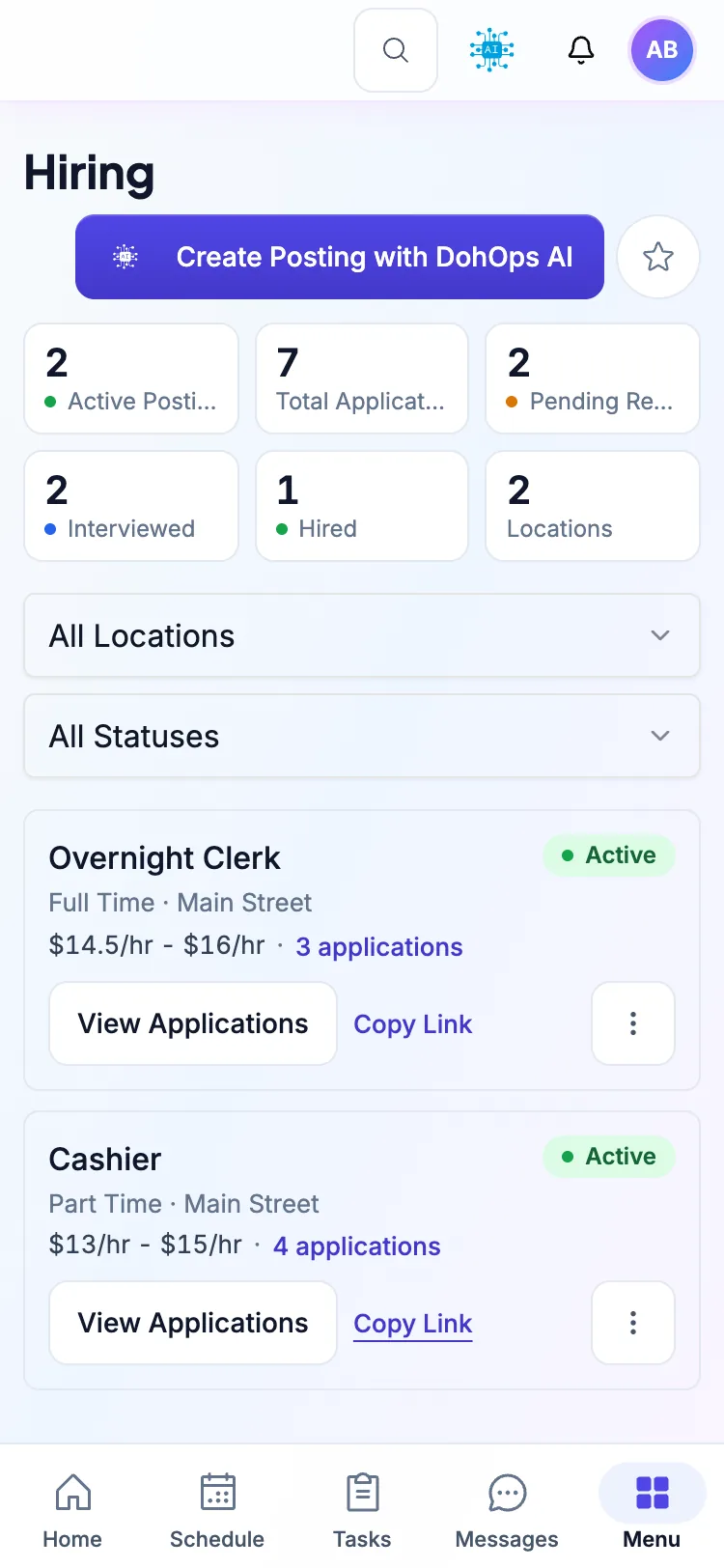
HIRING PORTAL — Manage postings from desktop or mobile, across every location
What you can do in week one
Day 1. Create job postings for your open positions (DohOps AI can draft them). Each posting gets a QR code and a link; print window clings for each store, and the first applications come in from people who scan it at the counter.
Day 3. Applications from every store sit in one list with their answers. Call back the ones you like while they are still looking, and mark them Called, then Interviewed.
Day 7. Mark two people Hired, add them on the Employees page, and assign the new-hire course you built: brand standards, food safety, opening procedures. Their progress shows as they go.
Day 30. Both new hires have finished their training, with a certificate for each course. The QR sign is still up, so applications keep coming in for the next opening.
Hiring & Onboarding — FAQ
Fill your next open shift before it's a crisis.
30-day free trial, no credit card. Job posts stay on DohOps Free for one location (up to 8 users) through your first 6 months; on Free, your apply page shows “Powered by DohOps”. Create your first job posting (DohOps AI can draft it) and print its QR code for your store window in your first session — or book a walkthrough to see the full hiring pipeline live.